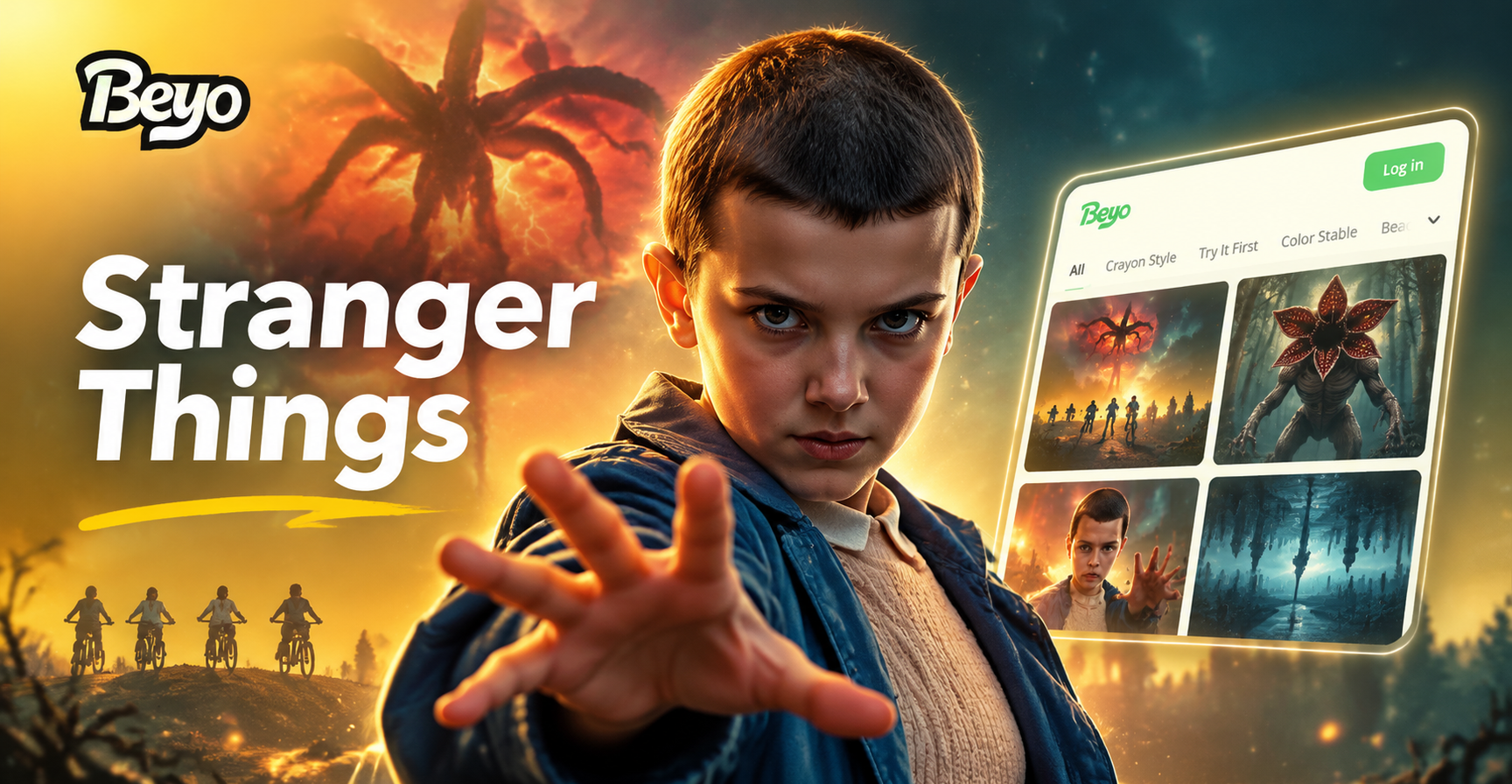
Fans of Stranger Things know the power of its 1980s small town setting, its synth heavy soundtrack, and its blend of childhood adventure with supernatural horror. Whether you are a digital artist, a content creator, or just someone who loves the show, AI image generators can help you create original photos that capture that same retro eerie feeling. This guide provides a collection of specific Stranger Things AI photo prompts you can use right now. Each prompt is designed to be dropped into any text to image AI tool, including the beyo app, to generate images inspired by the show's iconic style.
Understanding the Stranger Things Aesthetic
Before you start generating, it helps to know what makes a Stranger Things image feel authentic. The show blends several visual elements. First, the 1980s setting is key. Think wood paneled basements, arcade cabinets, old televisions, bicycles with banana seats, and walkie talkies. Second, the lighting is highly stylized. The show often uses strong red and blue contrast, flickering fluorescent lights, and deep shadows. Third, the film texture matters. A layer of 35mm film grain, slight blur, and Kodak color tones instantly makes an AI image look like a scene from the show. Fourth, the supernatural elements, like the Upside Down, are defined by floating spores, dark vines, and soft blue gray fog. When you write a prompt, include as many of these details as possible.
Stranger Things AI Photo Prompts for Portraits
Portrait prompts are a great way to practice the Stranger Things style because they focus on a single character and the mood around them. Here are several prompts you can copy and use directly.
Retro Teen Portrait
"A portrait of a teenage boy with curly hair and a denim jacket, standing in a dark forest at night, 1980s film still, red and blue lighting from police lights, heavy 35mm film grain, suspense, Stranger Things inspired."
This prompt works because it combines character details with the show's signature contrasting light and film grain.
Curious Girl with Walkie Talkie
"A 1980s girl holding a walkie talkie, standing in a dimly lit suburban basement, wood paneled walls, old TV flickering, soft orange lamp light, dust particles, cinematic still, Stranger Things mood."
Focusing on an everyday object like the walkie talkie helps the AI place the character in the right era.
Teen with Bicycle at Dusk
"A group of four kids on bicycles riding down a quiet suburban street at dusk, 1980s small town, streetlights just turning on, lens flare, orange and teal color grading, film still from a mystery adventure series."
Group shots work best when you specify the number of kids and the time of day. Dusk is perfect because it matches the show's frequent evening scenes.
Portrait in the Upside Down
"A girl with short hair and a determined expression, standing in a dark parallel world filled with floating spores, twisted black vines, and a soft blue gray fog, 1980s clothing, cinematic lighting, film grain, eerie atmosphere."
Describing the Upside Down environment clearly is essential. The AI needs the spores, vines, and fog to create that recognizable look.
Stranger Things AI Photo Prompts for Scenes and Locations
Scene prompts allow you to recreate the show's iconic locations, from the suburban neighborhood to the mysterious laboratory. These prompts focus on environments and wide shots.
Suburban Street at Night
"An empty 1980s suburban street at night, old houses with porch lights, a single streetlight flickering, power lines overhead, dense fog, a child's bicycle lying on the lawn, cool blue tones with warm yellow accents, film still."
The Secret Laboratory
"A long, sterile corridor in a government laboratory, flickering fluorescent lights, peeling white paint, a red emergency light glowing at the far end, 1980s technology, eerie silence, cinematic wide shot, film grain."
Hawkins High School Hallway
"A high school hallway in the 1980s, lockers lining the walls, a poster for a school dance, fluorescent lighting, a few students in retro clothing, one girl looking back over her shoulder with a worried expression, film still."
The Arcade
"A dark 1980s arcade filled with glowing game cabinets, a group of kids gathered around a machine, neon signs, carpet with geometric patterns, cigarette smoke in the air, blue and purple lighting, cinematic photo."
The Woods at Night
"A dense forest at night, twisted tree branches, a beam of flashlight cutting through the darkness, a search party in the distance, red and blue emergency lights reflecting on the leaves, 1980s film still, suspenseful mood."
Stranger Things AI Photo Prompts for Creatures and Monsters
The show's supernatural creatures are a big part of its appeal. These prompts will help you create original monsters inspired by the Upside Down, without directly copying the Demogorgon or Mind Flayer.
Flower Faced Creature
"A tall humanoid creature with a featureless face that opens like a flower, slimy gray skin, standing in a dark tunnel, covered in vines and spores, blue fog, 1980s horror movie still, grainy, terrifying."
Shadow Monster in the Sky
"A massive shadowy monster made of black smoke and lightning, looming over a small 1980s town at night, red lightning, storm clouds, children looking up in fear from a backyard, cinematic wide shot, film grain."
Demo Bat Inspired Creature
"A swarm of bat like creatures with leathery wings and sharp claws, flying out of a crack in the ground, red sky, dust and debris, a group of teenagers running, 1980s horror film still, dramatic lighting."
The Vines of the Upside Down
"A close up of black twisted vines covered in a strange glowing blue substance, growing over an old abandoned car, spores floating in the air, dark background, macro shot, eerie and beautiful, film grain."
How to Improve Weak AI Results for Stranger Things Prompts
Sometimes an AI image generator will miss the mark. Here are practical tips to get better results every time.
Add Film Texture Keywords
Words like "35mm film grain", "Kodak film", "analog photo", "1980s film still", and "cinematic lighting" push the AI toward the right era and texture. If your image looks too digital, add one of these phrases.
Specify the Era
Always include "1980s" or "1980s style" in your prompt. Without this, the AI might generate modern clothing, cars, or technology that breaks the illusion.
Use Color Contrast
The show relies heavily on orange and teal contrast, red and blue lighting, and warm interiors against cool exteriors. Mention these color pairings explicitly. For example, "orange and teal color grading" or "red and blue emergency lighting".
Describe the Mood
Words like "suspenseful", "nostalgic", "eerie", "mysterious", and "childlike wonder" help the AI capture the emotional tone. Combine a mood word with your scene description for stronger results.
Keep the Composition Clear
If you want a portrait, say "portrait". If you want a wide shot, say "wide shot" or "landscape". For group scenes, specify the number of people and their ages. This prevents the AI from adding random figures or cropping incorrectly.
Using beyo to Bring These Prompts to Life
The beyo app makes it easy to turn these Stranger Things AI photo prompts into actual images. Open the app, choose the text to image feature, paste any prompt from this guide, and select a style filter that matches the retro or eerie mood you want. beyo offers over one million style templates, so you can experiment with different film looks, color grades, and artistic interpretations. The app also supports image to image generation, which lets you upload a photo of yourself or a friend and restyle it to look like a scene straight out of the 1980s. No complex prompt engineering is needed. Just type, pick a filter, and generate.
Adapt These Prompts for Your Own Photos
Once you get comfortable with the prompts above, you can adapt them to include your own face or your friends. Use the image to image feature in beyo, upload a photo, and add a prompt like "1980s Stranger Things style, film grain, red and blue lighting, mysterious forest background". The AI will keep your facial features while transforming the style and setting. This is a fun way to create personalized fan art that feels authentic to the show's universe.
Start with one prompt, generate a few variations, and adjust the wording based on what appears. The more specific you are about clothing, lighting, and setting, the closer your AI photos will get to the Stranger Things vibe you love.