Add Logo To Photo
Choose the Perfect Logo Placement Style
Discover brand-friendly filters and templates designed to showcase your logo on any photo, from subtle watermarks to bold corner placements and center banners.
Key Features of Adding Logos to Photos
Turn ordinary photos into branded assets with these powerful tools designed for creators, marketers, and business owners who want to add a logo to photo online.
Precise Logo Placement
Position your logo exactly where you want it on any photo. Choose from corner placements, center positioning, or custom coordinates. Adjust the logo size and opacity to blend seamlessly with your image while keeping your brand visible and professional.
Precise Logo Placement
Position your logo exactly where you want it on any photo. Choose from corner placements, center positioning, or custom coordinates. Adjust the logo size and opacity to blend seamlessly with your image while keeping your brand visible and professional.

Smart Watermark Tools
Protect your visual content with elegant watermark options. Apply subtle repeating watermarks or bold single placements that deter unauthorized use without distracting from the main image. Ideal for photographers and content creators who share work online.
Smart Watermark Tools
Protect your visual content with elegant watermark options. Apply subtle repeating watermarks or bold single placements that deter unauthorized use without distracting from the main image. Ideal for photographers and content creators who share work online.
Batch Brand Photo Processing
Add your logo to multiple photos at once. Perfect for product catalogs, event galleries, and social media campaigns. Maintain consistent branding across all your images with uniform logo placement, size, and style settings for a professional look.
Batch Brand Photo Processing
Add your logo to multiple photos at once. Perfect for product catalogs, event galleries, and social media campaigns. Maintain consistent branding across all your images with uniform logo placement, size, and style settings for a professional look.
How to Add Logo to Photo?
Create branded photos in just three simple steps using the beyo app. Follow this guide to add a logo to any photo in minutes.

Step 01.
Download the beyo app from Google Play to access the logo placement tools on your mobile device.

Step 02.
Upload your photo and select the logo or watermark style that matches your brand identity and placement preference.

Step 03.
Position your logo, adjust transparency and size, then export your branded photo to share anywhere online.
Branded Photo Examples
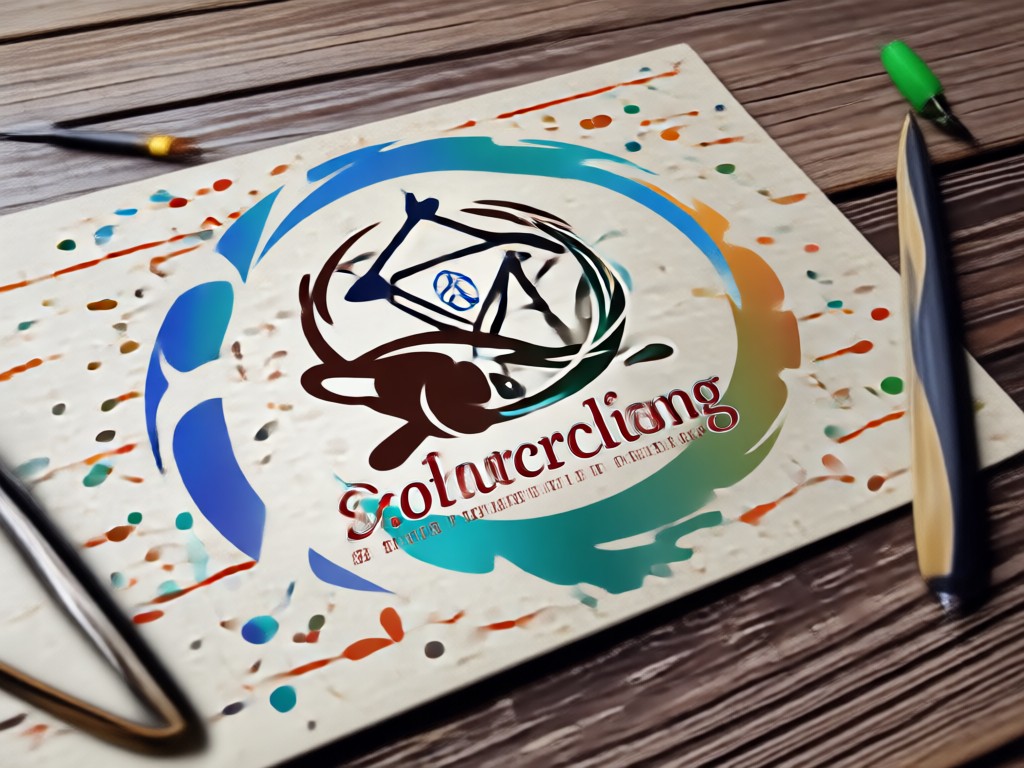
Browse examples of photos with logos added using beyo. From product photography to social media posts, see how easy it is to create professional branded images in seconds.







Why Add a Logo to Your Photos?
Brand your images to build recognition, protect your work, and present a professional image across every channel. beyo makes photo branding accessible with an intuitive mobile app, thousands of templates, and instant export options that elevate your visual identity.
Why Add a Logo to Your Photos?
Brand your images to build recognition, protect your work, and present a professional image across every channel. beyo makes photo branding accessible with an intuitive mobile app, thousands of templates, and instant export options that elevate your visual identity.
Frequently Asked Questions
Find clear answers to common questions about adding logos to photos with beyo. Learn how to brand your images easily and effectively.
Who Uses Logo Photo Branding
Sarah Kim
I run a small online boutique and use beyo to add my store logo to every product photo. The batch feature saves me hours every week and my brand looks consistent across my entire shop.
Marcus Chen
As a photographer, adding watermarks to my portfolio images used to be tedious. With beyo, I can protect my work with elegant watermarks in seconds before sharing on social media.
Elena Rodriguez
I manage social media for three clients and need to brand every post with their logos. beyo makes it so easy to switch between brands and apply the right logo placement every time.
David Park
My event photography business relies on branded galleries. With beyo's batch logo placement, I can deliver a full gallery of branded photos to clients within hours of the event.
Sarah Kim
I run a small online boutique and use beyo to add my store logo to every product photo. The batch feature saves me hours every week and my brand looks consistent across my entire shop.
Marcus Chen
As a photographer, adding watermarks to my portfolio images used to be tedious. With beyo, I can protect my work with elegant watermarks in seconds before sharing on social media.
Elena Rodriguez
I manage social media for three clients and need to brand every post with their logos. beyo makes it so easy to switch between brands and apply the right logo placement every time.
David Park
My event photography business relies on branded galleries. With beyo's batch logo placement, I can deliver a full gallery of branded photos to clients within hours of the event.
Sarah Kim
I run a small online boutique and use beyo to add my store logo to every product photo. The batch feature saves me hours every week and my brand looks consistent across my entire shop.
Marcus Chen
As a photographer, adding watermarks to my portfolio images used to be tedious. With beyo, I can protect my work with elegant watermarks in seconds before sharing on social media.
Elena Rodriguez
I manage social media for three clients and need to brand every post with their logos. beyo makes it so easy to switch between brands and apply the right logo placement every time.
David Park
My event photography business relies on branded galleries. With beyo's batch logo placement, I can deliver a full gallery of branded photos to clients within hours of the event.
More Topics You May Like
Explore more topics you may like and discover fresh ideas tailored to your interests.

Video Music Remover: Clean Audio in Seconds
Remove background music from any video in seconds. Upload your clip, pick an audio removal filter, and get clean silent footage without losing video quality. No editing skills needed.

App To Remove People From Photos - AI Powered Creative Tool | beyo
Create stunning App To Remove People From Photos with beyo AI. Generate images, videos, and art instantly with one tap. Download the app and start creating today.

Mirror Image Generator - AI Powered Creative Tool | beyo
Create stunning Mirror Image Generator with beyo AI. Generate images, videos, and art instantly with one tap. Download the app and start creating today.

AI Short Film Generator - AI Powered Creative Tool | beyo
Create stunning AI Short Film Generator with beyo AI. Generate images, videos, and art instantly with one tap. Download the app and start creating today.
Ready to Brand Your Photos?
Download beyo now and start adding logos to your photos in minutes. Build your brand presence with every image you share across social media, ecommerce, and marketing channels.
Ready to Brand Your Photos?
Download beyo now and start adding logos to your photos in minutes. Build your brand presence with every image you share across social media, ecommerce, and marketing channels.